"Any smoothly functioning technology will have the appearance of magic." Arthur C. Clarke

Tuesday, March 27, 2012

Tuesday Tips 3/27/12


Website/Program of the week #1: Flipbook:  http://www.benettonplay.com/toys/flipbookdeluxe/guest.php   
Flipbook is a web tool that allows teachers and students to create a digitally animated flipbook and then share it with the world. It is easy to create and is lots of fun to work with. Besides the obvious art implication, Flipbooks might be a great creative way for Middle School students (or teachers) to animate a historical event, show the visual representation of how to do a math equation, show a scientific process, or even retell a scene from a book.

Website/Program of the week #2: Snag Learning: http://snaglearning.com   
Snag Learning is a good resource for teachers who would like to use high-quality documentaries in their classrooms, but don't have the funds to purchase DVDs.  On the website you can browse through the videos by subject or by grade level. Snag Learning also offers a series of guiding questions for each film. You can even embed previews of each video into your blog!

Thursday, March 22, 2012

Glogster and Language Arts

Glogster, as mentioned in my technology tips, is a great digital "poster maker" for students.  It can vary from being a very simple "what you see is what you get" production, or a more complex production that includes multiple pages, videos, photos, etc.  It combines design skills with comprehension skills.  Students must decide what information is the MOST important to put on a Glog, so that their audience understands the purpose.  They must also make sure their Glog is not too busy.  Here are some tips for using Glogster:


1) Edu.glogster.com is great for educators.  It allows for you to create one account for students, without having to pay larger membership fees.


2) Encourage students to begin with a non-fiction piece-- as it is easier to gather small details, main ideas, and video/photos to use on the Glog.


3) Show students examples of a Glog that is too busy.  In other words, it has clashing colors, a disorganized layout, and no purpose.  Then, show them a well-balanced, organized, clear Glog.  Have them determine the strengths and weaknesses of each.  This will help them with the digital design portion of Glog creation.


4)  Remind students about citing sources when they are including information that is not their own.  At the very least, students should try not to copy and paste text onto a Glog and use it as their own.


5) This can be used with even young elementary students!  As I said, the complexity of a Glog is up to the user... I have recently had third grade students using it!

Tuesday, March 20, 2012

Tuesday Tips 3/20/12


Website of the week #1: UEN.org: www.uen.org/k12student/
The Utah Education Network website houses lesson plans, activities, and interactives for all subject areas.  Teachers can either search for lessons, or go to the student interactives on the right side of the page by grade level chunks for activities.  This site offers activities like virtual reality content lessons that students enjoy and learn from.  

Website of the week #2: Blogger/Blogspot: www.blogger.com
Blogger is a service provided by Google where users can create their own blogs.  Have a blog for each class all attached to the same user, or just one blog overall.  These blogs are easy to use for both teachers and students.  Blogger's website includes tutorials on how to set up and how to use functions of its blogs.  Learn how to add widgets such as site counters, maps of site traffic, links to other activities, etc. by visiting this ehow article

Tuesday, March 13, 2012

Tuesday Tips 3/13/12


Website of the week #1:ABCteach: www.abcteach.com

This website is very user-friendly and offers quality printable materials for teachers.  The website offers free worksheets available for download and also has ready to use interactive Smart Notebook files.  Once you select your grade level and subject, you will find lots of great resources!  If you use the materials and want more of a selection, you can even become a paid member and enjoy over 40,000 free printable worksheets, more Interactive lessons, and several other abc tools. 
Website of the week #2: Xtranormal: www.xtranormal.com

Xtra Normal is a unique service that enables students to create animated, narrated movies just by typing the dialogue then dragging and dropping characters and set elements into the movies.  I know computer time is limited, but this website is very easy to use.  The text-to-movie function is great for a quick engaging lesson.  It should only take a student 15-30 minutes to create an Xtranormal movie, if they have already planned the script!

Friday, March 9, 2012

Typewith.Me for Writing Collaboration

Typewith.Me is an excellent, simple tool similar to Google Docs that allows for collaboration in a chat room-like way.  The leader of the group can get on the site, name the site, and then additional users can join by typing in the generated site on their browser.  


This is a great tool for writing brainstorming, collaborating on a speech, debates, reflections on class objectives, revising work, improving writing "hooks," and many more possibilities!

Tuesday, March 6, 2012

Tuesday Tips 3/6/12


Website of the week #1:  Wall Wisher:
This site is a digital bulletin board where the students can add notes.  It is excellent for short post-its about objectives for the day, opinion questions, factual recall, polling students, etc.


Website of the week #2:Animoto: 
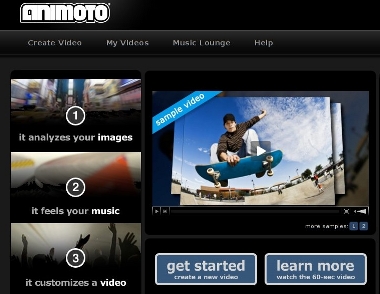
Animoto is an easy to use video creator where students can add photos, music, and text to pre-made templates.  This is excellent for book summaries, photo journals, class presentations, etc.    See examples of how it is used in 5th grade on www.mrspreisclass.blogspot.com, and on the website itself.

Saturday, March 3, 2012

Google SketchUp


An excellent way to blend STEM and reading is through Google SketchUp.  As we know well, one major (and enjoyable) part of reading is visualization.  In more complex stories, this can be quite difficult, especially at the elementary and high school level.  One challenging way for students to visually represent their reading is through Google SketchUp --a free architectural design program that is usable by young children to professionals.  From Hogwarts castle, to the Hunger Games arena, reading can truly come alive.  Students can go even further in depth by creating the setting for a short story!  The picture with this is an example of a person's rendition of a castle.  Imagine Hogwarts!

Friday, March 2, 2012

Pinterest

It is definitely an addictive, innovation-spurring website.  Though it is mostly meant to be a social pinboard with DIY and fun products and projects, many teachers are "pinning" their great ideas!  

What is Pinterest? -Pinterest is a set of virtual bulletin boards.  Users may "pin" photos or videos onto different boards they have created.  Popular boards are for recipes, tools for teachers, DIY projects, fashion, and many more.  

How does Pinterest work?  The first step is signing up- which requires an invitation from another member, or a short waiting period from the Pinterest administrators.  You can login using your email, or via your Facebook account.  

Next, you create your boards--which can be for any topics that are interesting to you.  In this case, tools for teaching is a good idea.  

Your final step is to start pinning.  If you login using your Facebook account, you can immediately connect with "pins" from your friends.  Otherwise, Pinterest supplies you with random "pinners" to follow.  You can also search for "pins" --any teaching topic can be easily found!

I have already found some amazing ideas from fellow teachers.  I have always believed that the best way to learn about how to become a better teacher is through collaboration!