"Any smoothly functioning technology will have the appearance of magic." Arthur C. Clarke

Tuesday, April 24, 2012

Technology Tips 4/24/12


Website of the Week #1:  IXL   IXL Math     This site is a collection of math resources that can be used online.  Quizzes and activities are matched to math standards, giving students questions to solve, and explanations for when their answers are incorrect.  This is great for all students- those who want to get ahead, and those who need some remediation and practice.

Website of the Week #2: KET-Teachers' Domain  www.teachersdomain.org  Teachers' Domain is a free site where you’ll find thousands of media resources, support materials, and tools for classroom lessons, individualized learning programs, and teacher professional learning communities.  You can search lessons by subject and grade!  You can also search special collections that they offer, which include a KET STEM Collection.  *You do have to sign up for an account, but it is free to do so!

Thursday, April 19, 2012

Student Choice

Educators know that best practice indicates that we help students feel ownership in the classroom.  One way we do this is by offering varied activity choices to meet their learning styles and preferences.  This is the PERFECT place to add technology!  


For example: you have students building schema by reading articles and completing comprehension pages before a major, hands-on project.  BORING!  Make this more engaging and meaningful to students by adding in choices.  In one station, students can listen to the articles aloud on an iPod while completing their comprehension page.  In another station, students can be on your blog or interactive site working through activities related to the content.  In a third station, have a video that visually presents the content.  


It may take a little more time to plan and prepare, but your students will be thankful for the transitions and change.  In addition, adding something like an iPod to read aloud articles to students helps with differentiation and reading fluency!  


How can you make your most monotonous lessons more engaging and varied for your students? 

Tuesday, April 17, 2012

Tuesday Tips 4/17/12


Website of the week #1: The Week in Rap:http://theweekinrap.com is a great resource to review all of the biggest news stories of the week.  A new one is released every Friday.  It is a great, fun, way for students to learn about all the happenings.  There are many activities that can you do with this.  One activity would be to have the students research the topic more in-depth and share their findings with the class or on a blog.

Website of the week #2: Pics4Learning: http://pics4learning.com is a copyright-friendly image library for teachers and students. The Pics4Learning collection consists of thousands of images that have been donated by students, teachers, and amateur photographers. Unlike many Internet sites, permission has been granted for teachers and students to use all of the images donated to the Pics4Learning collection.  It is great resource for students, especially if they are creating powerpoints, digital stories, or movies.

Tuesday, April 10, 2012

Tuesday Tips 4/10/12


Website of the Week #1:  Wifitti   http://wiffiti.com/
Bring texting alive by allowing students to send in a message for immediate viewing by the entire class on the Smart Board.  Wifitti is a digital bulletin board that allows students to text in their messages for immediate viewing.  This is excellent for brainstorming activities, answers to homework, group work discussions, student reflections, etc.  Once you create a screen, students can post messages to it anytime and anywhere as long as they have their cell phone.  Those without cell phones can post to the site using a computer. 
Website of the Week #2:  Prezi   http://prezi.com
Are your students getting bored with taking notes from PowerPoint?  Prezi is a web tool that brings presentations to life! It is a much simpler and fancier version of PowerPoint.  PREZI allows you to create unbelievably dynamic presentations.  In the classroom, Prezi allows you to explore concepts, diagrams and timelines and the zooming capabilities helps the student understand the main focal point. You can also incorporate supplemental material such as images and videos very easily. It lets you create a sort of walking path through your presentation that makes it engaging and striking.

Tuesday, April 3, 2012

Tuesday Tips 4/3/12


Widgets: Feedjit and Clustrmaps:  http://feedjit.com/   

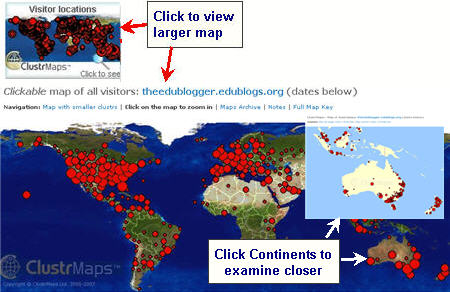
Feedjit is a widget that can be added to blogs and wikis, or personal sites to track viewers and count views.  This has been especially motivating for students- they realize they have an authentic audience that is not just their teachers and parents.  Students can also view population maps and world maps showing where their visitors are from.  This allows for a great geography mini-lesson.  I recommend signing up using a spare email address, just in case of ads sent via email. This can be viewed on this blog!

Clustrmaps is also great for the same purpose: http://www.clustrmaps.com/index.htm  The website provides instructions for embedding the widget into your site!